I made some updates for the &saw music sequencer

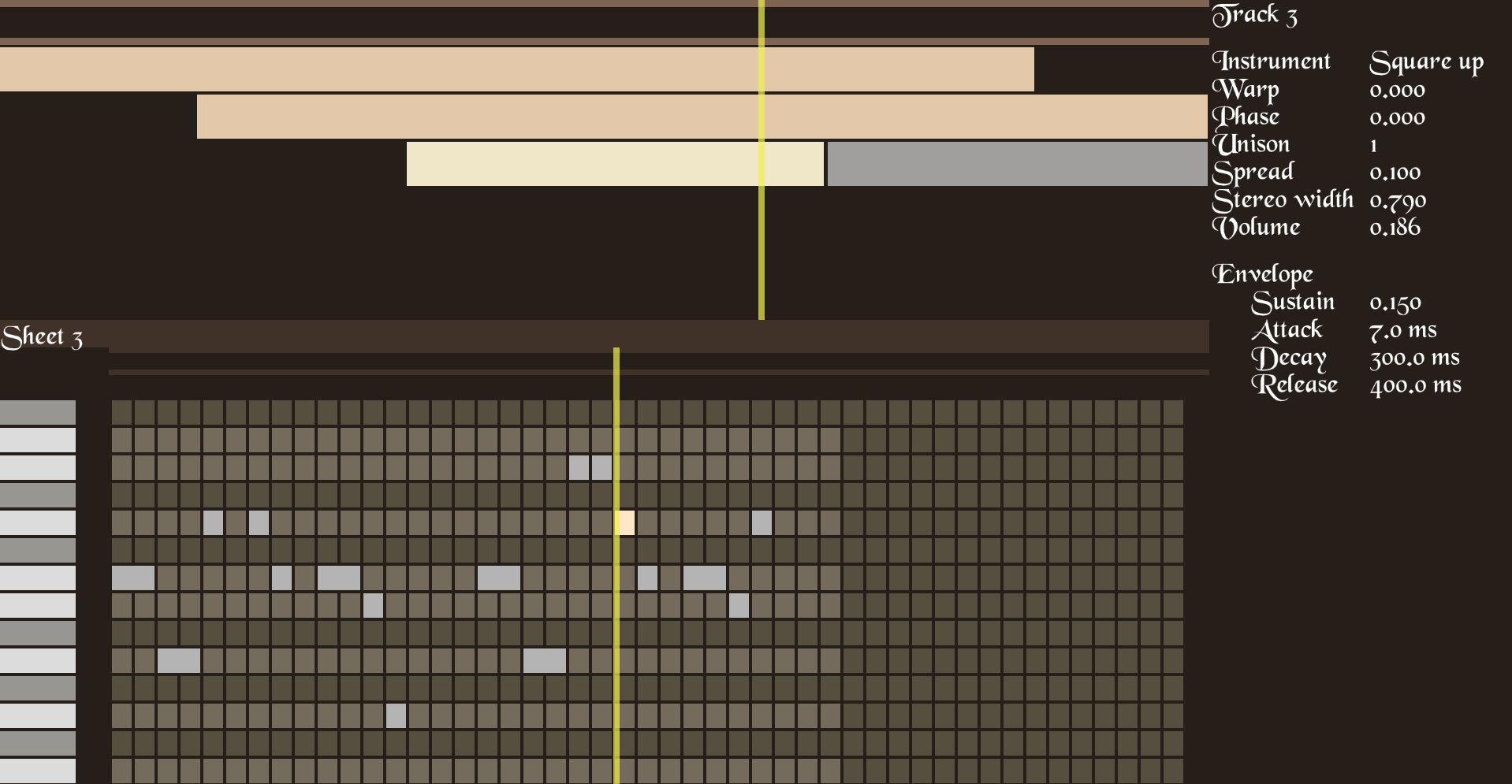
  • UI rework. New font and icons, and now it works with touch screen as well as with mouse and keyboard.
  • Sampler instrument. You can drag & drop a WAV file and use it for the sampler. Also works in browser.
  • Microtonal tuning for the music sheet. Now you can see exact frequency of each note in the UI, and there is two tuning modes: equal temperament (pen icon), pythagorean tuning (feather icon). This is temporary until I implement the complete tuning UI. Also, you can directly edit note frequencies in the project file, which is just plain text.

Here is a quick demo drum beat; and an example of how the same 5th interval sounds in different tuning modes. You can hear that in the pythagorean tuning there is no interference; in the equal temperament tuning there is very little interference; and the last one is "wolf fifth" with a lot of interference - worst case of the pythagorean tuning.
View full feed

Project idea

My main goal is to rethink modern music software standards to enable new creative concepts in writing music.

Why I do it

There is a lot of things I don't like in currently available music software. Some of them are: bad performance, instability (bugs and crashes), complicated system environment requirements, inconvenient UI, lack of features, closedness, and, most important, bad standards. I decided to make a new music sequencer from scratch, so I can experiment with it and find better ways to make music.

image.png

Closing thoughts

My goal for the Jam was to implement very minimal working prototype. I consider this goal to be achieved.

Implemented features:

  • Editing music sheet in piano roll view.
  • Editing and playing multiple music sheets in compose view.
  • Several synth sounds: sine wave, sawtooth wave, square wave, kick drum.
  • Sheet looping.

Also, the source code is cross-platform. You can try Emscripten build of the prototype in the browser.

Controls:

  • Left mouse button - Select, add element, or stretch selected element.
  • Middle mouse button - panning.
  • Right mouse button - delete element.
  • Space - Play / Stop.
  • Enter - Move playback pointer to the start.
  • Escape - Reset panning.
  • D - Duplicate selected sheet.

2024-02-27_17-25.png

Future plans

I will continue to work on the project. Ideally, I want to make it commercial, but there will be a free version always available.