
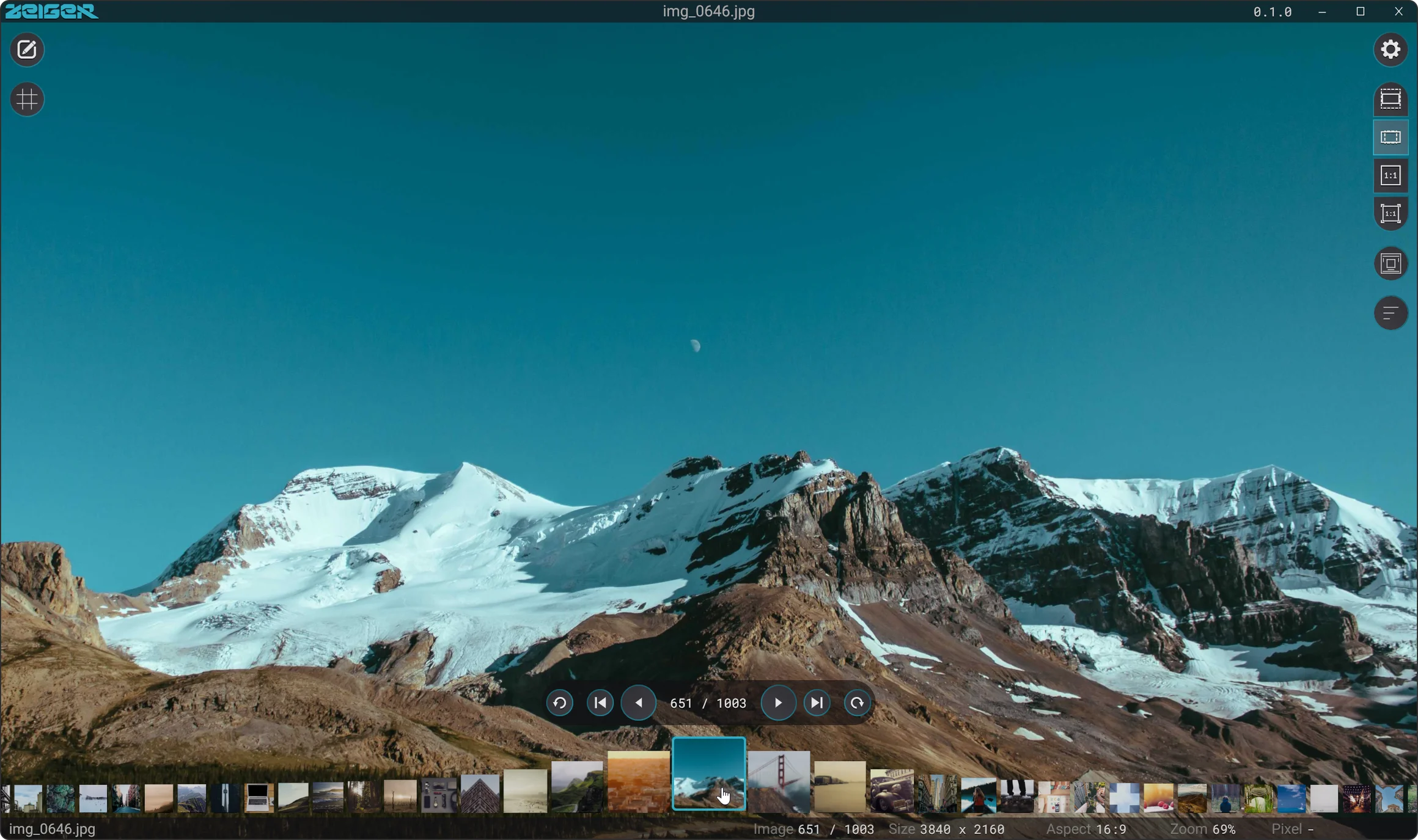
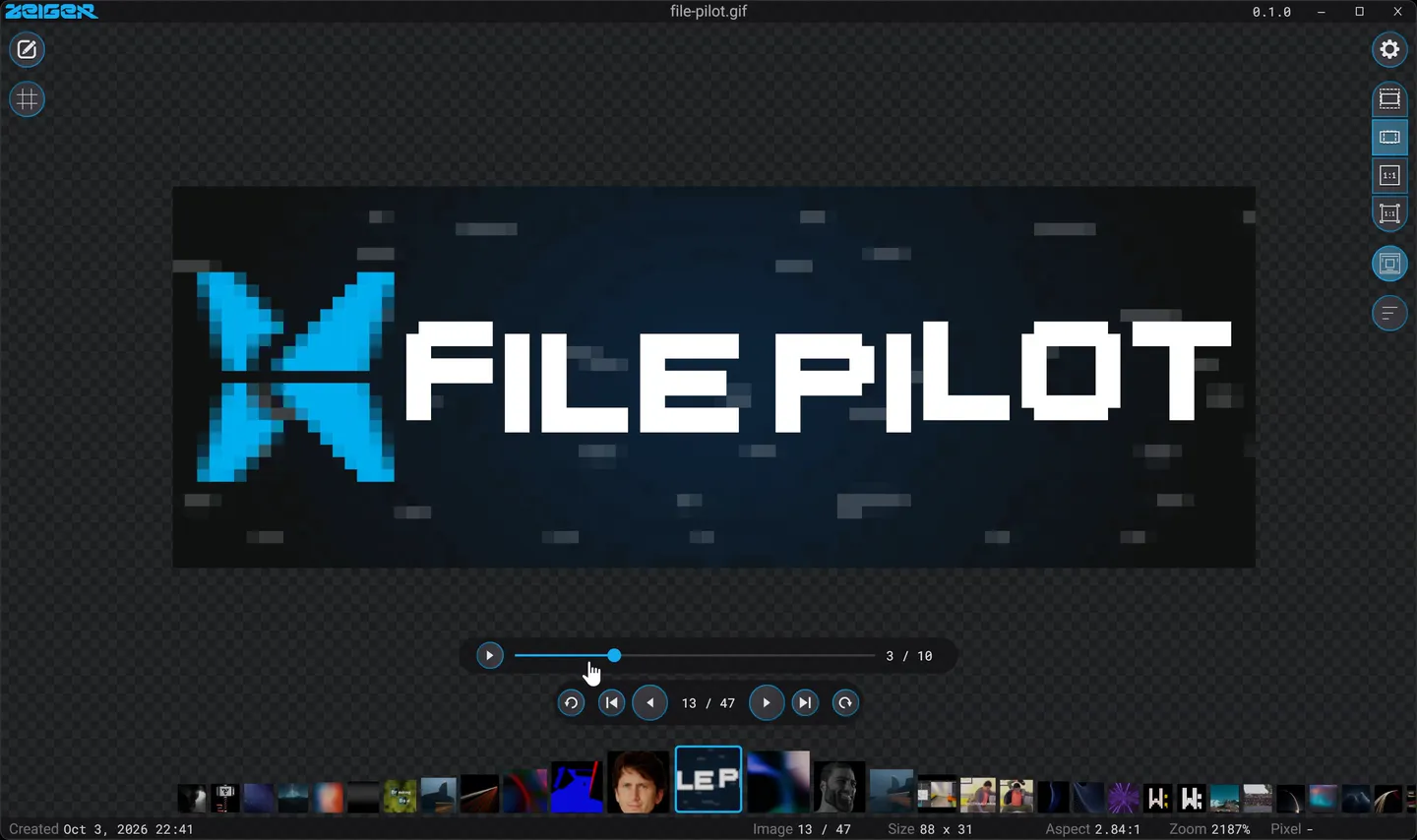
Zeiger is a native image viewer for Windows and macOS built on the same engine and UI framework as Blick, it is completely free to use for personal and commercial use.
Supported formats
JPEG, PNG, WebP, GIF, AVIF, HEIC/HEIF, TIFF, BMP, PSD, OpenEXR, Radiance HDR, DDS, TGA, QOI, JPEG 2000, BNG and more, plus 25 camera raw formats such as DNG, CR3, CR2, NEF, ARW, RAF, RW2 and ORF.
Features
Core
- Native app: Runs on Windows and macOS, written in Odin on the same engine as the Blick video editor. The whole app is 7 MB.
- Free for personal and commercial use.
- Drag and drop: Open an image by dropping it onto the window.
- Unicode support: Full support for international characters in file and folder names.
- Tuneable performance: support for setting maximum VRAM, thread count and lookahead count.
Folder Navigation
- Folder scanning: Opens the other images in the folder automatically, so you can flip through them with the arrow keys.
- Folder sorting: Follows the sort order of Windows Explorer, Finder or FilePilot, or sorts by name, size, date or type.
- Thumbnail strip: Shows the images of the current folder. Scroll or swipe over it to move through them.
- Read-ahead loading: Decodes the images around the current one in the background. You set the number of loader threads, the VRAM budget and how many images load ahead.
- Apple Photos library: On a Mac, opens your Photos library, including photos stored in iCloud.
Viewing & Navigation
- Clean UI: The controls fade out when the mouse moves away, and only the image stays on screen. A pin button keeps them visible.
- Fitting modes: Fit, Fill, 1:1 and Resize window, one key each.
- Pan and zoom: With the mouse, a touchpad or the keyboard. The view can reset for each image, carry over, or be remembered for each file.
- Pixel-perfect zoom: Filtering blends from linear to nearest neighbor as you zoom in, you can view pixel art or your camera's photos equally well.
- Pixel grid: A grid fades in at high zoom levels, toggleable.
Image Analysis
- Color picker: Hold Alt (Option on a Mac) to pick a color. Two pixels are picked, the raw source color and a WYSIWYG, and copies it as Hex, RGB, RGB float, linear RGB, HSV or CSS.
- Status bar: The status bar shows the image size, aspect ratio, zoom and the pixel under the pointer.
- Metadata: A Properties window shows the file details, the camera data and the GPS position. Click any value to copy it.
Image Editing
- Levels: Black point, midtones and white point with a histogram, plus contrast and saturation.
- Crop and rotate: Crop to any rectangle and rotate in 90° steps.
- Safe saving: Save writes a new file next to the original by default. Save As writes PNG, JPEG, BMP, TIFF or BNG.
- Copy with edits: Copy image puts the image on the clipboard with your rotation, crop and edits.
Camera Raw & Textures
- Camera raw: 25 raw formats through LibRaw. Zeiger develops the sensor data or shows the camera preview in the file, with a toggleable switch.
- DDS textures: BC1 to BC7, HDR and float formats, texture arrays, cube maps and cube map arrays.
- Layers, faces and mips: Step through layers, face and mip of a DDS file. A small cube net lets you pick the face of a cube map.
Animation Support
- Animated images: GIF, APNG and animated WebP play when they open.
- Playback controls: Play, pause and scrub through the frames, or step frame by frame.
Customization
- Keyboard shortcuts: Every action has a key, and you can rebind all of them in the settings.
- Dynamic colors: The controls take their colors from the current image. You can turn this off.
- Checkerboard: Transparent images show on a checkerboard with adjustable size and colors.