Made a page for my SlimCasting Dungeon Crawler project on my website with new videos and some explenations on how things work:
https://hardcorecodin.com/slimcastin

Arnon
Member since
Feb 19, 2020
Recent Activity

Silhouette POM on dynamic rounded corners with seamless tiling:
https://youtu.be/yphiknZNO9E
Parallax Occlusion Mapping with Silhouette on columns with proper curvature:
This is what I originally had in mind - animated 3D noise with volumetric lighting:
https://youtu.be/kaHocpBvxio
Been working on some trippy blobby enemy thing with refraction:
https://youtu.be/wcjo0q8oec4
Got multiple portaling depth levels - without recursion (because CUDA doesn't like that):
https://youtu.be/Vtm7ua0REA8
Dungeon Crawler - with Portals 🙂
https://youtu.be/i3P7IoL7n7Y
Ported the dynamic collision detection and added ray cast shadows and flare projectiles:
Finished up porting the columns feature and interactive map editing:
Improved PBR maps, lighting and render-debug modes:
Strengthened roughness and AO maps
AO map darkens additive ambient lightings
Specular reflectance additive over rough surface lighting to give a more wet-over-rough feeling
Optimized GGX and added Phong, Blinn and Lambert shading modes
Added toggles for individual maps (AO, roughness, normal)
Added debug modes for maps and overall lighting
Added HUD lines for all render settings
PBR shading and textures with diffuse, roughness, AO and normal maps.
Also made the lighting from the torch as a proper point light with a position around the player, and then gave it some breathing movement and a more appropriate lighting color.
Finally got around to improving the lighting, with a more appropriate and dramatic torch lighting. Before it was constant light intensity per scanline (horizontal for walls/ceiling and vertical for walls). Now is more appropriate spherical attenuation around the player position (as it was in the original Odin project way back then).
This makes it look more like an actual 3D ray casting/tracing rendering, as the lighting behaves as though there were camera-correct ray directions per-pixel.
Also then added some flame-like light flickering to get more of the feeling of walking around with a tourch.
Wanted to see if it would be possible to free the camera to look up and down, while still keeping it only pseudo-3D and still casting only a single horizontal line of rays across the screen. Of course it wasn't initially, because the vertical symmetry was heavily relied on - only the top half of the screen being computated with the bottom half using mirrored results. But ultimately, I've found that it is absolutely still possible (albeit not necessarilly optically correct though still looks reasonably plausible), by computing where the horizon line should go when looking up or down, and computing the full height of the screen with above and below the horizon line computed with respect to where it goes. Performance dropped a bit, but not by that much really, all things considered. CUDA kernel now uses the full screen grid though, as opposed to the half that it previousely used to.
Another big update to the Ray Cassting dungeon crawler project - removing the use of a RGB-float buffer and writing directly into u32 pixels more than quadruppled the performance on the GPU, and is now easilly around 2000-3000fps(!) Also added debug modes for Untextured, Depth, UVs, and Mip-Levels, and some of them on the CPU even get to 1000fps. So unsurprisingly the main bottleneck is the software texture filtered sampling, on the CPU (no SIMD is used, and all on a single thread). But GPU has no issue at at all, using the same software texturing code (no hardware texture units used). Can even be above 200FPS on my ultra-wide 5Kx2K screen.
Several years ago I wrote a ray-casting dungeoun crawler completely from scratch in Odin, that does everything including rendering (softare texturing with bi-linear filtering, mip-mapping and sampling) manually on the CPU (a VERY old Ryzen 1.2) on a single thread with streightforward code (no SIMD).
I recently brought it back to life with more recent version of Odin, and it runs about the same as it did, at a little over 30fps at less than 640x480.
UPDATE: Just now I looked up what optimization to set for Odin compilation, and using -o:speed Jumps it to over 300fps when not moving, and still over 200fps when moving (not shown in this video but posted another below). Also getting around 60fps at much higher resolution - cudos to Odin(!).
More recently I decided to try to back-port it to C++ using my SlimEngine base project, with an aim to later put the same rendering code on CUDA like I did with SlimTracin.
After some simplification and optimization, at the same resolution and on the same CPU, still single threaded and unvectorized, it now runs at over 200fps (and over 300fps on my work laptop).
I then got it working also on CUDA (RTX 4070) and on the same computer, and there it now runs over 600fp (and at 5K it runs over 60fps). Same code can be toggled between CPU or GPU at runtime (just like SlimTracin XPU).
Still doing the actual 2D ray-casting and generating vertical and horizontal rendering data on the CPU and that is resolution dependant.
The GPU (if/when used) is mostly just doing the software texture sampling and shading, so there's still room to improve, but pretty happy with the result so far 🙂
Nic Barker, a good friend of mine here in Christchurch, New Zealand, have recently released a super slick UI layout library in pure C (99) called CLAY: https://www.nicbarker.com/clay
I couldn't resist to try using it in my old C variant of SlimEngine (a pure software basic 3D engine)

SlimTracin++ Has gone out of the dark with proper image-based lighting!
(finally got around to implement a cube-map structure and sampling...)
SlimTracin++ (C++) finally at feature-parity with SlimTracin (C) - saved the best for last:
Area Lights with Soft Lighting and Soft Dynamic Shadows
Purely analitical single-sample (no mult/random sampling) so is naturally noise-free
SlimTracin++ almos at feature parity with SlimTracin(C) on both CPU and GPU:
Materials: PBR (Cook-Torrance BRDF), Normal Maps, Glass, Mirror, Classic shaders
Debug Modes: UVs, Normals, Mip-Levels (using Cone Tracing), BVH, Depth
Anti-Aliasing: SSAA (optional)
SlimTracin++ codebase can now run as-is CPU or GPU (CUDA) - toggelable at runtime:
Finally, got around to finishing up mesh support in SlimTracin++ (C++):
Still single-threaded CPU only and no SIMD:
PBR (Cook Torrance) is working again, and behaves nicely with Glass and Mirror materials (bettern than the Blinn one from before). Bounce throughput accumulation is now based on Fresnel so behaves more physically accurate.
Time to Disco! 😛
C++ port of my pure-software raytracer is coming along nicely (single-threaded, no SIMD).
It's effectively x2 faster than the original C code now, especially at high trace depths.
Ray Cones for Ray Traced Mip-Mapping (Mip Level Selection):
Ended up going back to my more approximated solution (also covered in my stream) as it works more robustly, is simpler and cheaper to compute, and produces useful results.
https://youtu.be/I4Y29YAmLZw
Well, Gustavo made such a noice video about it that I had to try it out with SlimApp:
Tightened both scene BVH's AABBs and SSBs (55fps -> 60fps, 65 -> 90fps):
(SSB only useful for primary rays but scene BVH still used for shadows/reflections)
Porting SlimTracin to the new C++ codebade (Single-threaded CPU, no SIMD):
https://github.com/HardCoreCodin/SlimTracinCpp/blob/main/src/examples/02_Geometry.cpp
- Improved Geometry example (02)
- All ray distances are now in world space, including for local-space tracing. Simplifies code dramatically, reduce overhead of hit transformations, and unlocks early-outs for further away hits from currently-closest distance, both within ray/primitive intersections and across scene BVH AABBs
- Ray/Sphere and Ray/Box intersection overhaul optimization
- Texture mip selection using Ray Cones and UV-coverage (fixed)
- Normal map proper direction rotations (quaternion-based, fixed issues)
- Fixed all outstanding rendering and user-interactions issues
TODO:
- Finish all other examples
- Reintroduce triangular mesh support with mesh BVHs
- Reintroduce GPU support (CUDA)

Been working on an implementation of a fast algorithm for finding the closest point on a triangular mesh using a spatial aceleration structure for the broad-phase, and wrote an interactive application showing it in action using my SlimEngine++ software 3D rendering framework:
https://youtu.be/B0rwUXFKca4
https://youtu.be/vaFkAab-nYg
https://youtu.be/8kabp2JLkuw
The CPU implementation is still fast enough for realtime on a 50K poly mesh, even without being multithreaded or vectorized. But it can also optionally run on the GPU using CUDA.
Also been fixing up texturing and normal mapping in my software rasterizer (SlimRaster++):
Working on a workshop/course on interactive software rendering (no GPU) using SlimApp++
Covers 2D raycasting and 3D raytracing, and next up is soft shadows (w/ contact hardening):

Finished the C++ port of SlimRaster (originally in C) baseed on SlimEngine++: https://github.com/HardCoreCodin/SlimRasterCpp
- Added code screenshots to the readme

Major restructuring of SlimEngine++ : https://github.com/HardCoreCodin/SlimEngineCpp
- Much more opt-in/pay-for-what-you-use as opposed to batteries-included
- Scene, Selection, Viewport and Hud now need to be instantiated explicitly (if/as needed)
- 'draw(*)' now free functions (exp. included for non-single-header variant per-drawable)
- 'mouse' is now a global namespace (instead of a struct instance, like 'os::')
- No more global 'settings::' namespace (memory isn't pre-allocated automagically)
- No more global 'memory::' namespace (monotonic-allocator is now opt-in)
- Transform and Camera orientation structs improved
- obj2mesh CLI improved (added scaling and rotation arguments)
- All example apps rewritten and tested with both single-header and lib variants
- README.md updated with new code screenshots showing the new API use

SlimApp ported into ideomatic C++ (OOP-style) on a separate branch (cpp): https://github.com/HardCoreCodin/SlimApp/tree/cpp/src
Notable changes:
-
Structs now embody their related functions as member methonds (including
AppandPixelGridwhich now embeds all drawing functions) -
Entry point (only thing that needs to be defined) is now ```cpp
SlimApp* createApp()
  instead of: ```c
void initApp(Defaults *defaults)
it now needs to return a pointer to the app, which could be an instance of a sub-class
-
All callbacks are now overridable virtual methods on the
SlimAppstruct. -
initis now a virtual method and has a detault implementation (so not required):
bool SlimApp::OnReady()
-
The
Defaultsstuct members were moved into the app instance.
They can be overridden either increateApp()orOnReady(). -
Platform moved to being a (static)struct with static-only members
osinstead of a member instance ofApp(app.platform) so:cpp os::setWindowCapture(true); os::setCursorVisibility(false);instead of: ```c
app->platform.setWindowCapture(true);
app->platform.setCursorVisibility(false);
- Rect now passed by refference (instead of by pointer):
```cpp
void drawShapesToCanvas(PixelGrid &canvas) {
    // Draw and fill a rectangle with different colors:
    Rect rect;
    rect.min.x = rect.min.y = 100;
    rect.max.x = rect.max.y = 300;
    canvas.fillRect(Color(Blue), rect);
    canvas.drawRect(Color(Red ), rect);
All sample apps tested and working.

SlimTracing Updated: https://github.com/HardCoreCodin/SlimTracin
- All examples now come with CPU/GPU variants
- Textures included (have much smaller footprint)
- Examples updated with new GIFs and screenshots
SlimTracing:
Goodby Lamber, Bling and Phong...
Hello Cook, Torrance, Schlick and Smith! 😇

SlimEngine with the software rasterizer (single-threaded, no SIMD), doing high-poly with 2K textures, normal maps and AA:

Major Update to SlimEngine: https://github.com/HardCoreCodin/SlimEngine
Quality: Line drawing and blending improved significantly and can now also use MSAA.
Performance: Improved somewhat across the board.
Robustness: All examples tested in C and C++ on multiple compilers and architectures.
API: Simplified and improved argument-order consistency.
Correctness: Many subtle bugs and issues fixed, .mesh and .scene files now work on x86 and x64.
Presentation: Updated README.md (screenshots and gifs re-captured).

Fixed some alpha-blending issues for Anti-Aliased line drawing.
Looks much better now already, but then wanted to implement (software)MSAA on-top... 🙂

JavaScript vs. C (pure software rasterization):
~70 / ~14 = ~5x
Well, not too bad actually (all things considered...)
Live-toggeling between Raytracing vs. Rasterization of the same scene (for verifying correctness of the rasterizer, so switched-off shadows of the raytracer)
3D Line drawing now account for the depth buffer appropriately, with perspective-corrected depth interpolation, and with antialiasing 🙂

The entire code for this demo 🙂 (and yes, that's a JavaScript pixel shader there, fancy that...)
Bi-Linear filtering in pure TypeScript
(I'm honestly impressed by how well JavaScript performs...)
Let there be lights! 😄
Hosted interactively using GitHub pages: https://hardcorecodin.github.io/RenderEngine3D (double-click then WASD + mouse)
CPU Rasterizer: Pixel Shaders and Vertex attribute interpolation in Clipping and Rasterization (perspective-corrected barycentrics):
Got back to my old software-rasterizer (implemented from scratch in TypeScript - will port to C soon'ish...). Just finished: Culling, clipping, rasterisation (w/ persp. corrected interpolation) and materials with mesh/pixel shaders:

Added the perspective projection visualization to SlimEngine in the examples section:
https://github.com/HardCoreCodin/SlimEngine
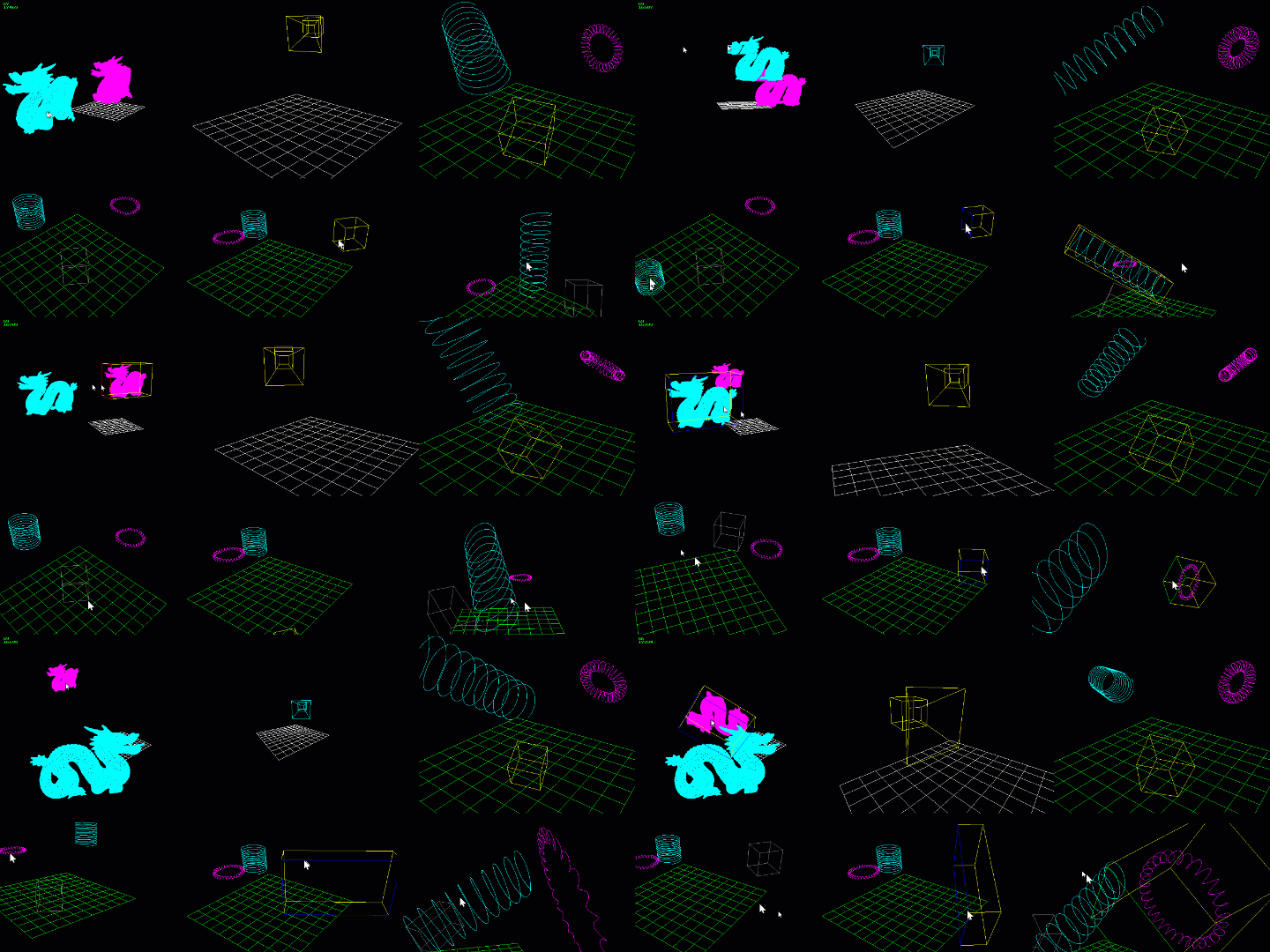
Big update to SlimEngine: https://github.com/HardCoreCodin/SlimEngine
- AntiAliasing
- Linear Alpha Blending (Gamma Corrected)
- Depth Sorting (PixelGrids can now use a float pixel-buffer and double depth-buffer)
- Better font for text rendering (JetBrains Mono, 24x18)
- Updated all examples and their gifs in the README
Forum reply:
Why do we use homogenious coordinates?
Arnon
—

My submission fo the 3B1B "Summer of Math Explainers" contest:
https://youtu.be/hdv_pnMVaVE
About how Perspective Projection works in 4D Projective space (when using OpenGL/Direct3D)
Used my handmade SlimEngine project to write the visualization software.

Line drawing: Anti-aliasing, depth sorting and proper alpha blending:
Fixed a bunch of issues with the area lights (emissive quads)
Soft shadows behave much more naturally now.
There was a problem of negative light being accumulated that caused overly strong shadows,
especially in areas that are lit by other light sources - it all blends much more naturally now.
Finished all the example apps and the README docs - try it out if you like:
https://github.com/HardCoreCodin/SlimTracin
Point lights are now fully integrated in the rendering (as opposed to being a post-pass) so they appear in reflections and refractions
(causing some interesting effects especially when inside a glass shape 🙂 )
They also blend nicely volumetrically and obey occlusion.
Point lights now show as glowing spherical volumes (analytically-integrated)
They're also now movable and scalable (scale changes intensity)
Area light soft-shadows! 🙂
Not physically accurate at all - just visually plausible.
Shadow sharpness reacts to changes in dimensions, orientation and proximity of the emissive quad.
Simple ray-tracing approximisations (no path-tracing, no stochatic-sampling/integration, no cone-tracing, no ray-matching, no sdf, no rasterisation, etc.)
(pure-software, single-threaded)
...and chucked onto CUDA 🙂
(same exact code cross-compiled to both CPU and GPU)
GPU mode can be toggled on/off dynamicly
Here's the behind-the-scenes magic (BVH with top-down SweepSAH algorithm, and some good depth-first traversal):
"...and now... for a taste of things to come..."
(written from-scratch using my SlimEngine - pure-software, no-GPU, single-threaded, no-SIMD)
Tomorrow, I'll chuck it onto CUDA - just for kicks 😄

Simplified string/file handeling and scene setup:
Scene settings now has a file (string) member.
Meshes now load automagically from provided file paths.
Memory is now allocated automatically for meshes (by reading their headers before loading).
No more need to set-aside additional memory for them 🙂

Few last updates to SlimEngine:
Added companion CLI tool for converting .obj to .mesh supporting vertex normals and texture coordinates.
Scens can now also be saved to and loaded from .scene files.
(Added/updated examples and README)

SlimEngine is now complete!
https://github.com/HardCoreCodin/SlimEngine
(no plans to add anything, as I wanna keep it slim/minimalist)
For clarity, here's a summary:
- Plain C: Compilable in either C or C++
- Platform-agnostic and very slim (barebone executable is ~17Kb).
- Self-contained: No dependencies (except for math.h).
- Single-header or a header-directory ("unity build").
- Rich README with heavilly documented examples.
Features:
- 3D viewport with wireframe rendering, rich navigation and a flexible HUD.
- Scene with cameras, meshes and parametric 3D shapes.
- Scene selection with rich interactive manipulation.
- Mesh: Loading from files, instancing and wire-frame drawing.
- Semi-automatic memory allocation for scene content.
- Scene and viewport are fully customizable via callbacks.
Based on SlimApp (a base-project for windowe'd apps) featuring:
- A well-behaved window (resizable, minimizable, etc.).
- Canvas for drawing numbers, text and basic shapes.
- Mouse and keyboard input capturing and handling.
- File reading and writing.
- Memory arena allocation.

Added support for triangular meshes:
- Loading from file
- Wireframe drawing
- Instancing
- Transformation manipulation

Added an example of having multiple cameras and interactively switching between them for the current viewport.
Also added camera-shape drawing.
HUD is also fully configurable now:
Re-wrote the viewport/HUD example to demonstrate that and updated the readme with code samples from it.

Added support for scene selection and object manipulation (TRS).
Also just moving around stuff along the screen without selecting.
Uses ray-casting against bounding boxes (in object-space).
Works on all geometry types.
(BTW, the executable is 53KB!)


Working on an off-shoot to my SlimApp called SlimEngine, with a lot more of a base for a hand-made 3D engine (CPU):
https://github.com/HardCoreCodin/SlimEngine
Next-up: Scene selection and interactive manipulations (TRS), then mesh loading and rendering 🙂
I already have most of the code in another project, just cleaning stuff up migrating it into this one.
Haven't actually re-constructed the single-header-file variant yet, but the directory-variant works

Added basic file reading and writing to SlimApp (using win32 in that platform layer).
Also improved the examples and README a bunch:
https://github.com/HardCoreCodin/SlimApp

Made this super-minimal (~13Kb) app/platform layer(s) lib:
https://github.com/HardCoreCodin/SlimApp
No dependencies on anything (not even any standard library stuff).
Can compile in either C or C++. CPU-only (no OpenGL).
Very beginner friendly, leaner and smaller than other alternatives.
Currently only implemented win32 for the platform layer, but app-layer is completely decoupled.
(Documented by examples - check'em out to see if you like it)

Finally got tired enough of re-compiling for light tweaking, so wrote my own light and color controlls 😋 The stored values are in Linear, but the swatches are displayed in sRGB (gamma corrected). I think it makes it more intuitive to explore the gamut this way, as the colors you pick more closely represent how they impact the scene. And the colors in the picker show how there's more gamut space taken by the lower-ends of the values.
And this time it runs just fine on the GPU (using CUDA) at 1080p(!) 😇 (Even though it still uses recursion)
Having fun with specular and reflective shaders again 😇
This time with a scene and acceleration structures (BVH & SSB) with multiple types of polygonal geometry:
...and if triangles are possible on tetrahedra, then quads on cubes are also, because why the not..? 😋
Tetrahedra are now dynamically resizable & rotatable. Acceleration structure mix: Screen-space bounds for culling primary ray intersections BVH for culling shadow ray intersections Ray/tetrahedron intersection checks now default to happen in tangent-space for a ~20% performance boost :)
New and improved way of generating screeen-space bounds for visibility masking! Derived the new approach myself: Gets perfect perspective projection of spheres onto a rectangular 2D bounds, at any FOV, without needing any AABBs, or a projection matrix, and doesn't use any trig.
Much more accurate and very robust to even the most extreme FOV(!) The old way was breaking down completely there (as can be seen around the end)
Red = Old Yellow = New
BVH FTW!!!
(...or NOT in this case...) 😆 SSB = ScreenSpace Bounds check
Turns out that for such a simple scene it's better to just have one node as both root and leaf...😇

Added Cylindical columns (dynamically editable, w/ collision-detection, etc.)
Full demo: https://youtu.be/RxBg8BsLVxo
CPU vs. GPU : Can now be toggled dynamically at run-time! 😋 Even while interacting with the camera, togeling debug-render modes, etc. Also switched to showing micro-seconds per-frame in the HUD
Got ray/triangle intersection working 😇
Still no acceleration structure, so still slow...
Though came up with an in/out-testing approach for tetrahedral-triangles that's ~30% faster
(doing it in tangent-space instead of world-space):
y > 0 && y < x*SQRT3 && y < (1 - x)*SQRT3
Donno it it's a common thing I've re-invented or not, but works very nicely 😎
Recursive Ray-Tracing is sooooo much fun!😇 (when it works...😋 ) Initial material system:
- Double-sided, with transparency + transparent shadows + animated UV rotation (just for fun...)
- Solid glass (finally fixed...)
- Multi-bounce (Ray-depth = 4)
Double-sided glass (with air inside): Refraction + Reflection with fresnel 😎
Real time Ray-Traced reflections! On a single threaded CPU (without SIMD) Because hey, why the hell not...? 😎
Per-geometry material: Lamber walls and a small ball Phong ball Blinn ball Chrome ball (Blinn-based)
...aaaaand we got shadows 😇 Wasn't even that difficult to add (take that rasterization... 😋 ), and not even that expensive
"I got walls!" 😋 Fps deffinitly taking a dive now at higher resolutions, especially with Blinn Still real-time at lower res. though 😇 Not too much to optimize for simple ray/plane intersections... Onto shadows and reflections next! 😁
...aaaand now some old-school shading, just for fun 😋 (Lamvert, Phong and Blinn, with Ambient + 3-point lighting with quadratic-atteniuation) Really digging this new per. 🤘
Got back to my CPU RayTracer (single-threaded, no SIMD) applying a very simplified "Acceleration Structure", and got a MASSIVE performace boost. Not a BVH or anything (yet), but works very well for spheres 😇 Debug-mode shows how it works: Just doing an orthographic projection of each sphere onto a projection plane set at a distance of the sphere's center (appropriately scaled, accounting for the focal length), then taking a screen-space bounding-rectangle. Additionally, pre-emptively filtering-out spheres that can be easilly rejected as being out of view. The HUD show's how many "active" spheres are being considered, as well as what overall percentage of the screen's pixels get a ray traced for them 😁 With these kind of FPSes, gonna start doing some shading now.
Dungeon crawler lighting! 😋
60FPS @ 580x400
Torchlight: Spherical quadratic attenuation (per-pixel lighting)
Bi-Linear Filtering @ 256x256 textures
All while still being a 1D->2D ray-caster 😇
Stress testing filtering with higher resolution textures (128x128)
Also tried with 256x256, though the differences then become even less apparent.
In motion, especially with applied lighting, bi-linear looks just as good as tri-linear, and runs twice as fast so...
I guess tri-linear is not really worth it in this case

Added support for different texture boundry sampling methods, including wrap-around - allowing for seamless tiled texture sampling and filtering 🙂 (showing texture border with/without filtering for both)
Texturing stack overhawl:
Improved texture filtering and sampling (Tri-Linear), also for the mini-map
Current Feature List:
Tri-Linear Filtering
Depth Dimming
Dynamic Field of View
FPS Controls (with acceleration/deccelleration)
Collision Detection
Mini-Map:
Dynamically Editable
Fullly textured
Shows player's vision
Follows player's movement
Can be Moved
Can be Resized
Can be Panned
Can be Zoomed
Written completely from scratch in Odin (Pure Software):
No Libraries
No Dependencies
No Hardware Acceleration
No SIMD
No Multi-Threading


MipMapping + BiLinear Filtering FTW(!!!) (floor, ceiling, walls and mini-map)

- Added floor and ceiling (reacting properly to dynamic FOV)
- Mini-map now fully textured
- Dynamic wall editing on the mini-map still works

Minimap can now be independently moved, resized, panned and zoomed, while still being fully interactive :)
Also, added FPS controls with acceleration/deceleration and dynamic FOV controls:

Ray-cast engine with in-game tile map editor updating live (with tile-edge merging):

Working on a new ray-casting algorithm that's x3 to x5 times faster than the good-old wolfestein3D approach, inspired by javidx9 's awesome video about line-of-sight:

Finally got to it - custom bitmap brushes from .bmp files, drawing to layered frame buffers :)

I'll be using this in the up-coming HMR session tomorrow, where we'll draw a HUD for our interactive graphics application (written from scratch, zero-dependencies, in Odin):
https://youtu.be/SqbMGGAs6o8
Currently, we can already draw anything, including hand-written text, but not yet text from a string.
New forum thread:
Handmade-inspired YouTube Playlists
Arnon
—

FINALLY: Finished up covering the platform layer! (Yey...)
https://youtu.be/L4D0Jd6odDI
All further sessions would focus exclusively on the application, mainly rendering and 3D

Been slowly uploading general graphics related short presentations to this YouTube playlist:
https://www.youtube.com/playlist?list=PLKkGMhjiYwWft02EKMYRcnt7BvOc5adQ8
It's not specific to any particular programming language with some short pseudo-code examples.
Check it our if you're interested. Currently it's mostly relatively beginner-level stuff, but in time I plan to have more advanced level content.
Started this video series about coding a software real-time ray-tracer from scratch in Odin:
https://www.youtube.com/playlist?list=PLKkGMhjiYwWdAub0WzbTMAjHRnG-Egucx

I have created a new YouTube channel for videos I'll be making about graphics programming (and other programming topics):
https://www.youtube.com/channel/UClyTX7-I5WH-L3RPCzbmqEw/
I'll be focusing on mostly the "handmade" style of coding for now.
Currently has 2 videos, one on the whole "platform<->application layers" story, and another about the whole "handmade vs. libraries" story.
Will soon start posting more videos about coding graphics applications from scratch using the Odin programming language (stay tuned ...)
Subscribe if you're interested 🙂
Forum reply:
How to get correct perspective projection
Arnon
—
Forum reply:
How to get correct perspective projection
Arnon
—
Arnon
—
Arnon
—
Forum reply:
How to get correct perspective projection
Arnon
—
Forum reply:
How to get correct perspective projection
Arnon
—
Forum reply:
How to get correct perspective projection
Arnon
—
Forum reply:
How to get correct perspective projection
Arnon
—
Forum reply:
How to get correct perspective projection
Arnon
—
Forum reply:
How to get correct perspective projection
Arnon
—
Forum reply:
How to get correct perspective projection
Arnon
—
Forum reply:
How to get correct perspective projection
Arnon
—
Forum reply:
How to get correct perspective projection
Arnon
—
Arnon
—
Forum reply:
About the Twitter/VS rant
Arnon
—
Forum reply:
About the Twitter/VS rant
Arnon
—
Forum reply:
About the Twitter/VS rant
Arnon
—
Forum reply:
About the Twitter/VS rant
Arnon
—
Forum reply:
About the Twitter/VS rant
Arnon
—
Forum reply:
About the Twitter/VS rant
Arnon
—
Forum reply:
About the Twitter/VS rant
Arnon
—
Forum reply:
About the Twitter/VS rant
Arnon
—
Forum reply:
About the Twitter/VS rant
Arnon
—
Forum reply:
About the Twitter/VS rant
Arnon
—
Forum reply:
About the Twitter/VS rant
Arnon
—
Forum reply:
About the Twitter/VS rant
Arnon
—
Forum reply:
About the Twitter/VS rant
Arnon
—
Forum reply:
About the Twitter/VS rant
Arnon
—
Forum reply:
About the Twitter/VS rant
Arnon
—
Forum reply:
About the Twitter/VS rant
Arnon
—
Forum reply:
About the Twitter/VS rant
Arnon
—
Forum reply:
About the Twitter/VS rant
Arnon
—
Forum reply:
About the Twitter/VS rant
Arnon
—
Forum reply:
About the Twitter/VS rant
Arnon
—
New forum thread:
About the Twitter/VS rant
Arnon
—
Forum reply:
Should modern C++ be ignored?
Arnon
—
New forum thread:
Should modern C++ be ignored?
Arnon
—
Forum reply:
Using VS instead of a Text Editor
Arnon
—